
Last modified May 26, 2026
Thinking about using the TripAdvisor AI trip planner for your next adventure? Honestly, you’re in good company. Tons of travelers are curious if this tool actually helps you plan a real trip or just spits out the same old advice. I spent some time testing it for different destinations, and honestly, it nails a few things and totally flubs others.
TripAdvisor’s biggest edge over most AI planners? It taps into more than a billion actual traveler reviews, so its recommendations usually feel way more legit than anything pulling from random web data. Let’s get into what’s great, what’s not, and when you might want to use something else.
Key Takeaways
- TripAdvisor’s AI trip planner cranks out solid first-draft itineraries thanks to real traveler reviews, but you’ll have to tweak things for pacing and logistics.
- It’s best for discovering new destinations or researching restaurants and attractions—not for hardcore budget planning or on-the-fly schedule changes.
- Compared to general AI like ChatGPT, TripAdvisor’s review-driven picks feel more trustworthy for big-name cities.
What the Tool Does Best Right Away
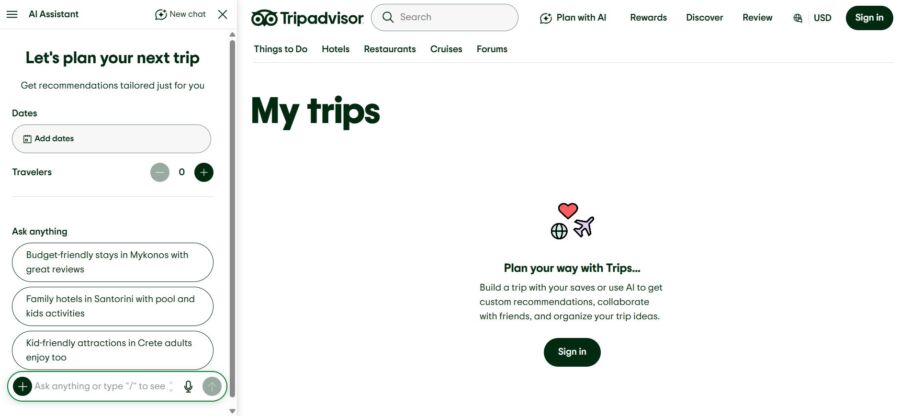
Trips by TripAdvisor blends its massive review database with OpenAI’s generative AI, so you get day-by-day itineraries in seconds. Since it pulls ideas from real travelers, its recommendations feel more personal than tools that just scrape the web.
How Trips by TripAdvisor Generates a Day-by-Day Itinerary
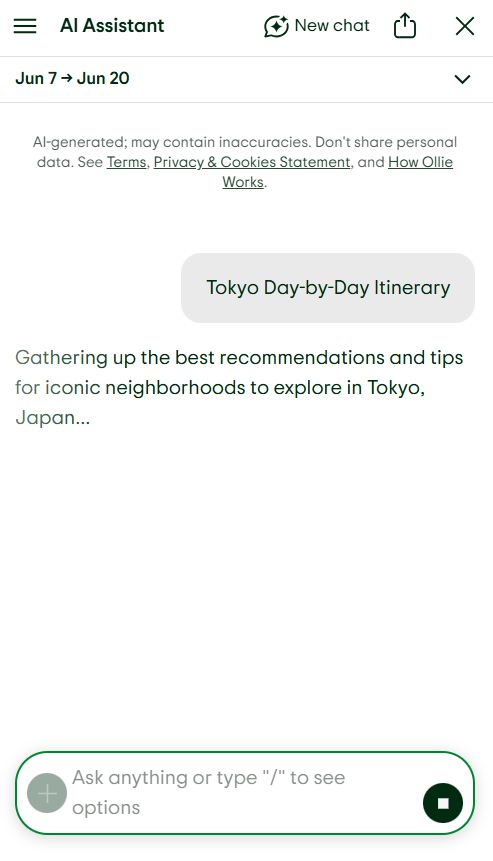
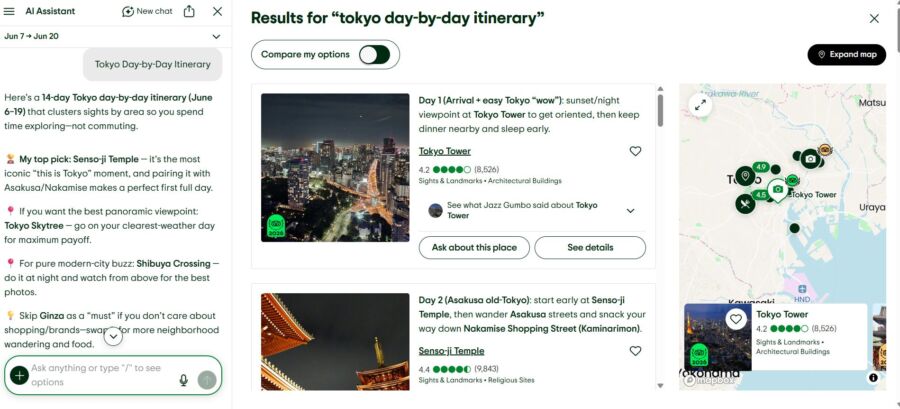
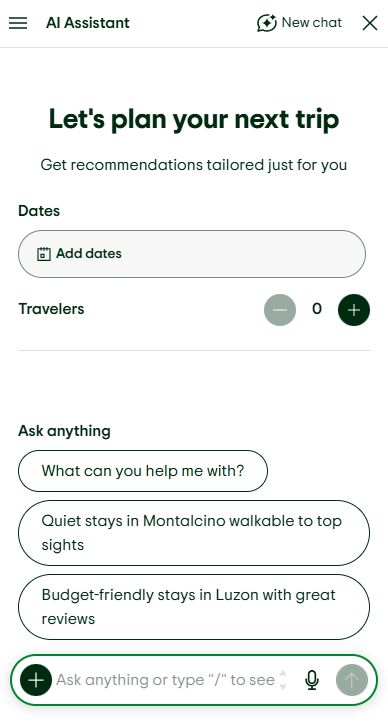
You kick things off by entering your destination, travel dates, and a few preferences. Then the itinerary generator spits out a structured day-by-day plan with restaurants, attractions, and activities. Each pick links to TripAdvisor listings, so you can dive into reviews right away.
The output usually breaks your days into morning, afternoon, and evening. It’s not just a random list—it tries to group things logically, though sometimes the order is a bit off (I’ll get to that).
Who It Works Best for in 2026

This thing really shines for first-timers heading to major cities like Paris, Tokyo, or Rome. If you’re clueless about a place, the personalized itineraries give you a decent jumping-off point.
It’s also great if you want ideas for restaurants and experiences, not a minute-by-minute schedule. Solo travelers and couples on shorter trips (three to five days) will find the results pretty usable without much editing.
What Inputs Shape Personalized Itineraries
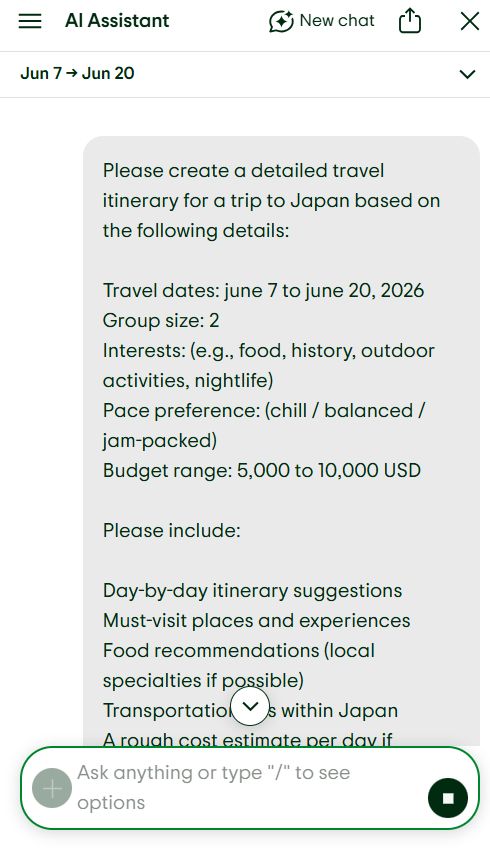
The quality of your itinerary totally depends on the info you give it. You can specify:
- Travel dates and group size
- Interests (food, history, outdoor stuff, nightlife)
- Pace preference (chill or jam-packed)
- Budget range
More details = better results. If you just say, “plan a trip to Spain,” you’ll get something generic. But if you ask for coastal towns, seafood, and hiking, the tool gets much closer to what you want.
How TripAdvisor AI Actually Works
TripAdvisor’s AI assistant stands out because it gets direct access to over a billion reviews from real travelers. This isn’t scraped from random sites—it’s verified, community-driven content tied to specific hotels, restaurants, and attractions.
The Role of 1 Billion Reviews and Community Signals
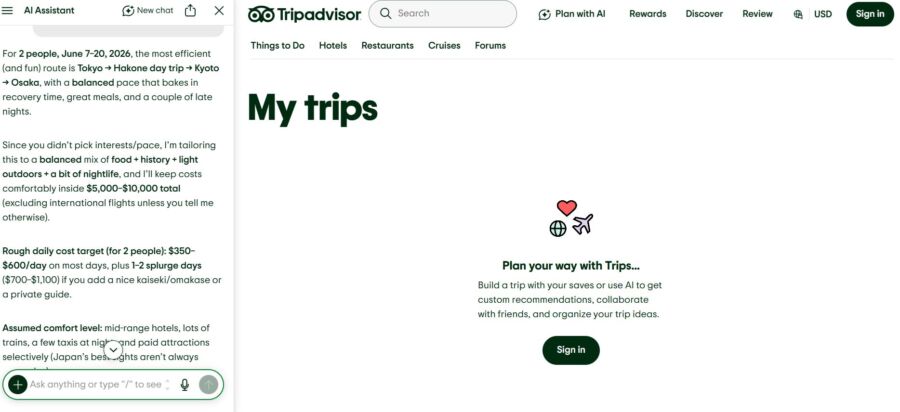
Those reviews aren’t just for show. The AI digs into them to spot which places travelers rave about, which ones disappoint, and what details matter most.
If hundreds mention a certain Rome restaurant’s 45-minute weekend wait, that info can pop up in your recs. This review-first approach means the AI’s suggestions usually reflect what travelers actually think, not just what sounds good in a brochure.
How the TripAdvisor AI Assistant Uses Traveler Context
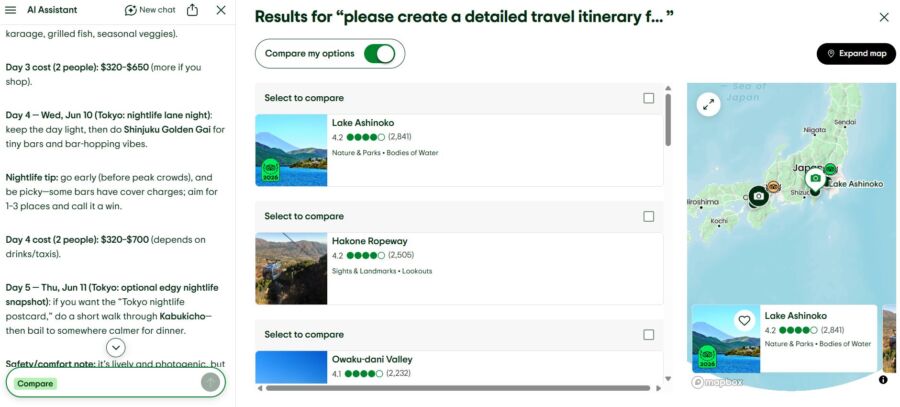
The AI tweaks its answers based on where you are on the site and what you’ve already saved. If you’re browsing hotels in Lisbon, it leans into that context for new suggestions.
You can also ask follow-up questions like, “what about kid-friendly options?” and it refines its advice without making you start over. That’s a lot less annoying than re-entering your preferences every time.
Where Viator and Booking Integration Add Value

Here’s something handy: TripAdvisor connects directly to Viator for tours and experiences and booking platforms for hotels. If the AI recommends a cooking class in Bangkok or a Sedona hike, you can usually book it right there.
This saves you from copying recommendations into another search. For comparing hotel rates with AI picks, Booking.com pairs nicely with TripAdvisor.
See Related: Expert Airport Hacks That Save 45+ Minutes Per Trip
Hands-On Planning Experience and Output Quality

The real test for any trip planner is simple: would you actually follow the itinerary? TripAdvisor’s AI builder gets you about 70% of the way, which honestly beats most others, but you’ll still need to adjust things.
Speed, Interface, and First-Draft Usability

It cranks out itineraries in about 10 to 15 seconds. The interface is clean and easy, with each day as a scrollable card. You’ll see attraction names, quick descriptions, and star ratings right away.
The first draft works well for big destinations. For a five-day Barcelona trip, it suggested Park Guell, La Boqueria, the Gothic Quarter, and restaurants that actually matched my interest in local food. Nothing felt like filler.
Itinerary Logic, Pacing, and Interactive Map Features
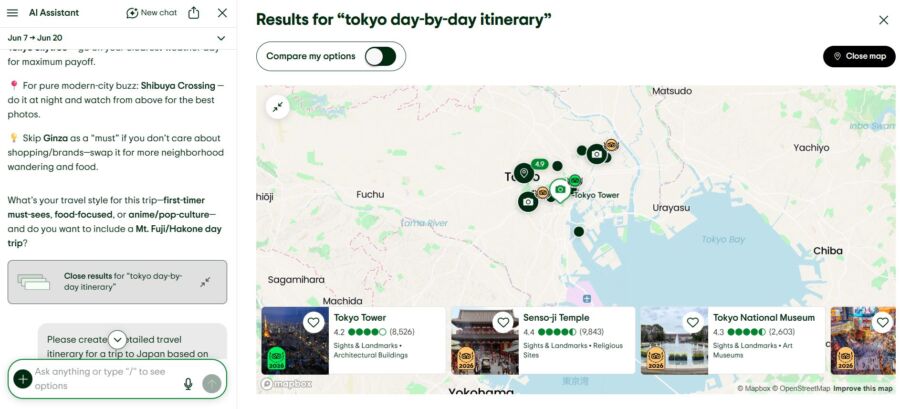
The interactive map is a real highlight. You can see each day’s stops pinned, so you’ll quickly spot if the route makes sense.
But yeah, pacing can be off. Sometimes it crams a huge museum and two neighborhoods into one morning, which isn’t realistic. You’ll have to shuffle things around.
| Feature | Performance |
|---|---|
| Geographic clustering | Good for most cities |
| Time estimates between stops | Often missing or vague |
| Rest and meal breaks | Inconsistently included |
| Evening activity suggestions | Solid for restaurants, weak for nightlife |

Editing’s a breeze. You can drag, remove, or add stuff to any day. Saving works through your TripAdvisor account, and sharing is as simple as sending a link.
Collaboration tools feel pretty basic. Your travel buddy can view the plan but can’t edit it with you in real time. If you want true teamwork, you’ll probably want to export items to a shared doc or calendar.
Strengths, Weak Spots, and Common Planning Mistakes
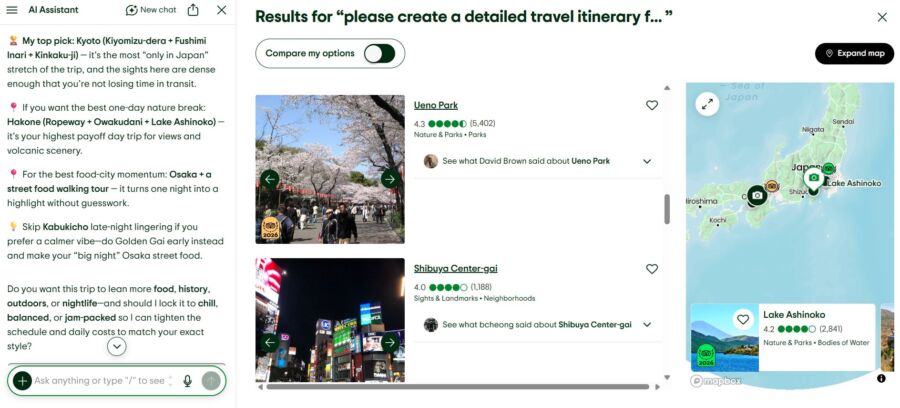
No AI travel itinerary generator is perfect—TripAdvisor’s tool has its strengths and a few clear gaps you’ll want to know about before you rely on it for a whole trip.
Where the Recommendations Feel Useful and Trustworthy
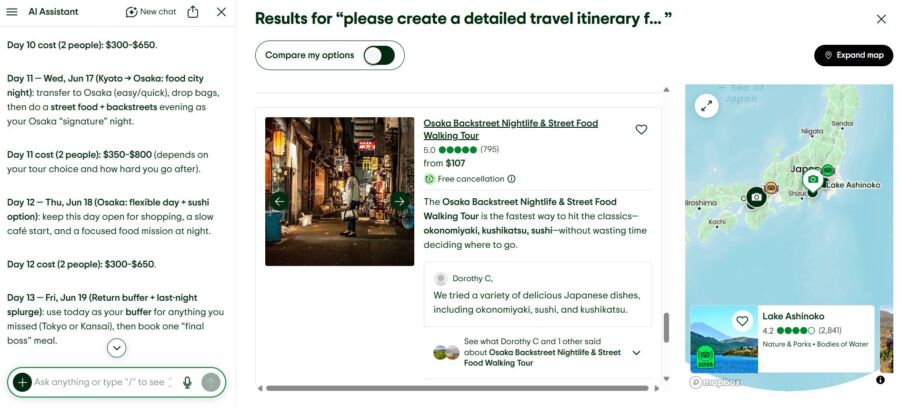
The best part? The recommendations for well-reviewed places. Since it pulls from real reviews, restaurant picks usually hit the mark and aren’t just random suggestions.
Attraction suggestions feel well-targeted too. If you’re into street food, the AI won’t send you to fancy tasting menus. That’s where TripAdvisor’s data really pays off.
When the Itinerary Becomes Too Generic or Poorly Sequenced

If you’re heading somewhere less popular or off-the-radar, the output can get pretty thin. For a five-day trip to Tbilisi, Georgia, you’ll probably just get the obvious tourist spots and miss out on hidden gems.
Sequencing gets weird in big cities too. Sometimes the tool puts two attractions 45 minutes apart right after each other, totally ignoring transit time. Always double-check the map before you lock in your plans.
Limits Around Budgeting, Context, and Real-Time Adjustments

Budget features are pretty basic. You can say if you want to spend a lot or a little, but it won’t crunch daily costs or warn you about pricey activities.
Real-time changes are tough too. If a museum’s closed on Mondays or you need advance tickets, the AI doesn’t always catch it. You’ll need to double-check details yourself, especially for booking tours and experiences that might sell out.
How It Compares With Other AI Travel Planners
The best AI trip planner for you really depends on what matters most: data quality, flexibility, booking options, or just wild and creative ideas. TripAdvisor has a unique angle, but it’s not always the best fit.
TripAdvisor vs. ChatGPT-Style Planning

ChatGPT and similar AI can come up with creative, offbeat plans. Ask for a “literary walking tour of Dublin,” and you’ll get something fun.
TripAdvisor’s AI plays it safer but feels more reliable. Real reviews back its picks, so you’re less likely to end up at a closed restaurant. If you want dependability over creativity, TripAdvisor wins here.
TripAdvisor vs. Dedicated AI Itinerary Builders
Other tools like Layla let you get way more detailed—drag-and-drop schedules, budget trackers, multi-city routes. If you’re planning a complicated European trip, TripAdvisor might feel too simple.
For comparing flights and routes, Kayak or Skyscanner are great add-ons, no matter which planner you use.
When a Review-Driven Platform Beats a Pure AI Tool
If your main question is, “Will I actually like this restaurant or attraction?” TripAdvisor’s approach is hard to beat. A billion reviews build trust that pure AI just can’t match.
For major cities with tons of reviews, TripAdvisor really shines. But if you’re heading somewhere remote or have a super niche travel style, a general AI tool with broader training might give you more options.
See Related: Layla.ai Review: Is This AI Travel Planner Worth It?
Best Use Cases Before You Rely on It Fully

The smartest way to use TripAdvisor’s AI planner? Treat it as a research booster, not your final answer. It’s great in some situations, but honestly, it can miss the mark in others.
Best for First-Draft Research and New Destinations
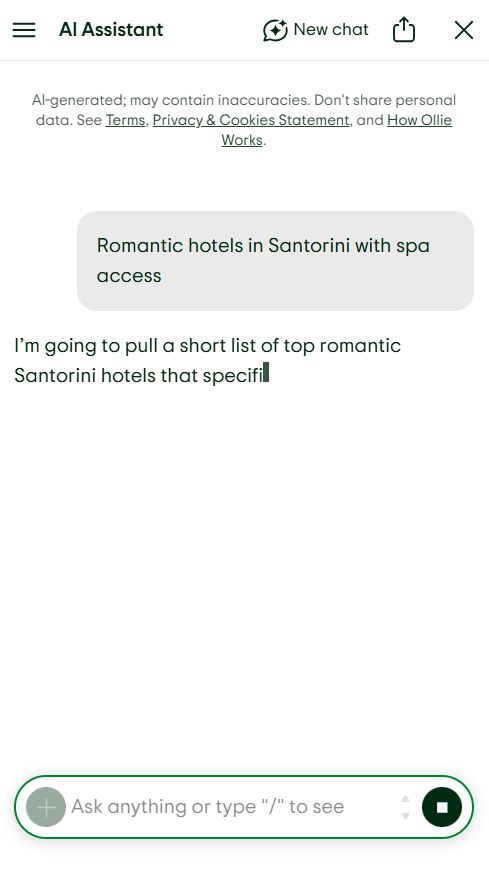
If you’re heading somewhere totally new and feel lost, this tool can be a lifesaver. It quickly throws the most popular and top-rated spots your way, so you start to get a real sense of the city layout. Honestly, it’s like skipping those first couple of hours you’d usually spend opening a bunch of browser tabs and getting overwhelmed.
Best for Food, Attractions, and Experience Discovery

Restaurant picks are where it really shines. The AI digs into fresh traveler reviews and lines up places that fit your food vibe, and those linked reviews let you check quality right away.
Want to book tours or activities? The Viator integration lets you jump straight from a recommendation to a reservation. If you’re hoping to catch a flight deal before you commit, Going is worth a look for snagging lower fares.
When to Double-Check the Plan Before Booking

Don’t forget to check these things before you treat the AI’s plan as gospel:
- Opening hours and closure days for museums and attractions
- Seasonal availability for outdoor activities
- Reservation requirements for popular restaurants
- Transit times between stops, especially in spread-out cities
- Travel insurance coverage for your trip through providers like VisitorsInsurance
Sites like Real Journey Travels always remind you to double-check AI results with recent traveler forums or local tourism pages. No AI has yet fully solved the problem of outdated or missing info, and that’s just the reality. Honestly, packing the right travel gear or figuring out luggage storage with something like Nannybag is still up to you.
See Related: How to Use ChatGPT to Find Cheap Flights: Pro Tactics & Smart Hacks
Frequently Asked Questions
How accurate are AI-generated itineraries compared with advice from experienced travelers and local guides?
AI-generated itineraries make a solid jumping-off point, but they usually can’t match a local’s insider tips. TripAdvisor’s tool does better than most since it uses real traveler reviews, but it still misses things like seasonal closures, local events, or little neighborhood secrets only seasoned travelers would spot.
What kinds of traveler details should I provide to get a truly personalized day-by-day plan?
Give as much detail as you can—travel dates, group size, what you love (maybe street food, hiking, or art museums), your travel pace, and your budget. The more you spell out your likes and dislikes, the more the itinerary starts to feel like it’s actually for you.
Does the tool pull recommendations from recent traveler reviews, and how does it handle outdated information?
The AI pulls from TripAdvisor’s ever-updating review pile, so most recommendations reflect what travelers are saying now. Still, it can miss sudden changes like closures or renovations, so you really should confirm anything time-sensitive before you book.
What are the common blind spots, like closures, seasonal crowds, or reservation-only attractions, and how can I double-check them?
Watch out for the usual suspects: Monday museum closures in Europe, spots that only take reservations, attractions that close seasonally, and local holidays. Check the AI’s suggestions against official attraction sites, recent TripAdvisor forum posts, and even Google Maps for the latest hours.
Can I export the itinerary to maps or calendars and easily adjust it for different budgets and travel styles?
You can save and share your itineraries right from your TripAdvisor account. The interactive map view makes route planning pretty simple, honestly.
But, if you want to export directly to your calendar or Google Maps, you’re out of luck—TripAdvisor just doesn’t offer that yet. You’ll have to copy over the important stuff by hand.
When it comes to budget tweaks, you can only set general preferences. There’s no way to track every single cost or break things down line by line, which can be a bit limiting if you want detailed control.


