Is Waze Available in Germany? Essential Insights for Drivers in 2026
Updated October 8, 2025
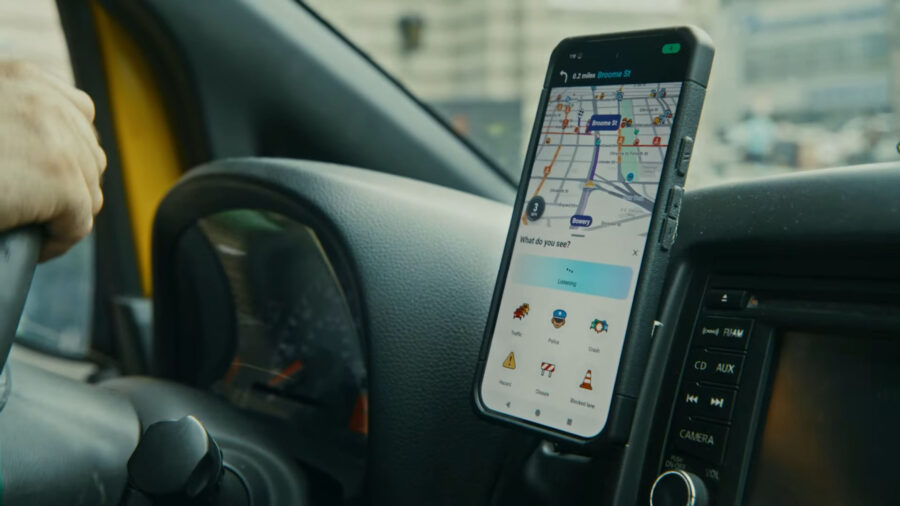
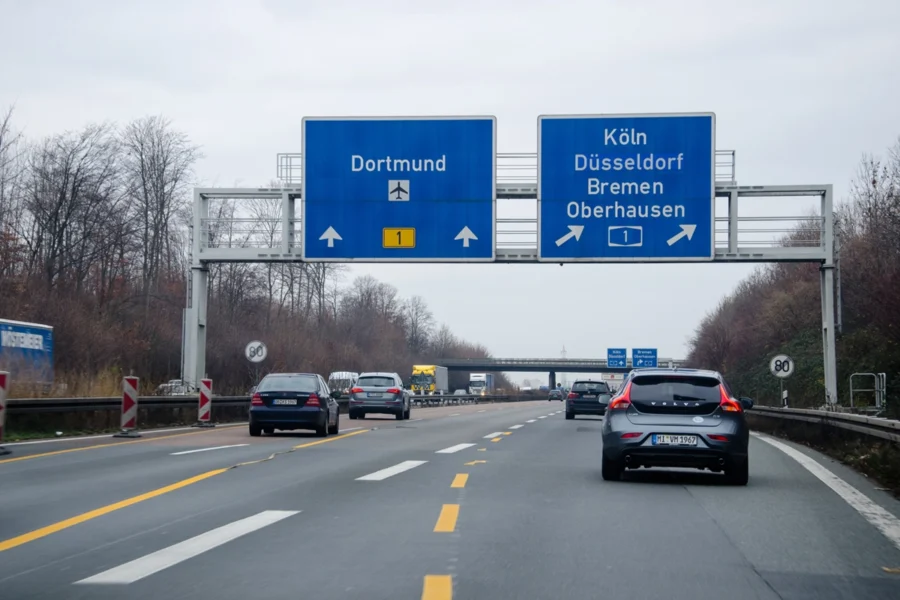
Thinking about a road trip through Germany and wondering if Waze will have your back? Yep, Waze works in Germany. It’s pretty much the same as elsewhere in Europe—live traffic, routes, and those real-time alerts from other drivers. Handy, right?
But here’s where things get interesting. German law puts the brakes on some Waze features, especially the ones warning about speed traps. Locals usually recommend turning those alerts off to stay on the safe side. I’ve crisscrossed Bavaria using Waze, and honestly, it ran just fine, though I noticed fewer user reports outside the big cities. Still, if you want a digital co-pilot for Germany’s autobahns and winding city roads, Waze does the job.
Table of Contents
- Key Takeaways
- Waze Availability in Germany
- Supported Features in Germany
- Countries Where Waze Is Available
- Network Coverage and Connectivity
- Legal Considerations for Using Waze in Germany
- Speed Trap Camera Laws
- Recommended App Settings
- Local Enforcement and Penalties
- Key Differences: Waze in Germany vs. Other Countries
- Feature Restrictions Compared to the United States
- User Community Size and Impact
- Language and Measurement Settings
- Real-Time Traffic and User-Generated Data in Germany
- Accuracy of Real-Time Traffic Updates
- Role of the German Waze Community
- Data Coverage in Urban vs. Rural Areas
- Waze Features and Limitations for Travelers
- Carpooling and Other Special Features
- Live Map and Route Planning
- Fuel Price Integration
- Comparison with Other Navigation Apps in Germany
- Waze vs. Google Maps
- Waze vs. Local Alternatives
- Privacy and Data Security
- Frequently Asked Questions
- What are the legal considerations for using Waze while driving in Germany?
- How does Waze’s functionality compare to Google Maps in European countries?
- Can travelers rely on Waze for offline navigation in Germany?
- Which navigation apps do locals in Germany prefer over Waze?
- Are there any specific regions in Germany where Waze is not recommended or restricted?
- What alternative navigation solutions are available in Germany for areas where Waze is less effective?
- Book Your Dream Experience
- More Travel Guides
Key Takeaways
- Waze works in Germany and most features are available
- You’ll need to turn off speed trap alerts to stay legal
- Real-time traffic data makes cross-country travel smoother
Waze Availability in Germany

You can fire up the Waze app in Germany, but a few quirks pop up because of local laws. You’ll still get GPS navigation, live traffic data, and community updates—super useful for getting around. Speed camera alerts, though? Not allowed. And don’t forget, you’ll need an internet connection for Waze to really shine.
Supported Features in Germany
Waze’s core navigation features work just fine for route planning, live traffic, and sharing hazards. You’ll see alerts about jams, closures, and construction—other drivers keep those updated.
Now, the catch: German law says no to tools that warn about speed traps. You have to turn off speed camera notifications in your settings. The Waze Belgium site makes it clear—Waze isn’t banned, but you need to switch off those alerts to follow the rules.
Once I turned those off, Waze guided me through Bavaria without a hitch. Turn-by-turn directions and quick rerouting still worked great. Just don’t expect police or radar warnings—that’s where Germany draws the line.
Countries Where Waze Is Available
Waze isn’t just hanging out in Germany—it’s all over the globe. The app covers over 200 countries, including most of Europe. You’ll find it in France, Italy, Spain, the UK, and Germany, according to Holiday Extras.
Here’s a look at where Waze is most reliable in Europe:
| Region | Availability | Notes |
|---|---|---|
| Western Europe | ✅ | Full coverage, strong community |
| Central Europe | ✅ | Works in Germany, Austria, Switzerland |
| Eastern Europe | ⚠️ | Coverage improving but less dense |
Crossing borders by car? No need to download a different app for each country. As long as you’ve got mobile data, you’re set.
Network Coverage and Connectivity
To get live traffic data from Waze in Germany, you’ll need a stable internet connection. Waze depends on real-time updates from other users, so if your signal drops, you’ll miss out on live info.
When I drove from Berlin to Hamburg, I grabbed a local SIM card—totally worth it. My routes updated instantly, and I dodged more than one traffic jam. If you’re visiting from abroad, get yourself an eSIM or a local SIM for better coverage. Google’s Waze support page has more on that.
Germany’s mobile network usually performs well, especially on main highways. Rural spots can still leave you hanging, so downloading offline maps as a backup isn’t a bad idea—even though Waze doesn’t really do offline navigation.
Legal Considerations for Using Waze in Germany

When you’re behind the wheel in Germany, Waze is fair game for navigation—but not every feature is allowed. The big issue? How Waze alerts you to police speed traps, which German law treats much more strictly than some other places.
Speed Trap Camera Laws
German law makes it illegal to use devices that warn about speed cameras while driving. That includes apps like Waze that show or announce speed trap alerts. The Straßenverkehrsordnung (StVO)—Germany’s traffic code—got updated in 2020 to close old loopholes.
You can keep Waze on your phone—no problem there. What gets you in trouble is using the speed camera feature while driving. Autoevolution explains that the law covers smartphones, tablets, and GPS systems that warn about traffic monitoring.
If you’re a passenger, you can technically use all of Waze’s features. Drivers, though, need to switch off speed trap notifications. I’ve met travelers who found out the hard way (hello, Autobahn fines). It’s an easy rule to miss, but also easy to follow.
Recommended App Settings
Before you hit the road, open Waze and head to Settings → Alerts & Reports → Speed Cameras. Turn off both visual and audio alerts for speed traps. That’s all it takes to stay within German law while still getting traffic, directions, and hazard reports.
Switching the app’s language to German or English can help with clarity. I actually like the German voice navigation—it’s precise, especially in the countryside.
Not sure if you’ve set it up right? The Waze Community forum has solid advice from German users. Keeping your app updated is smart, too—Waze tweaks alert settings by country every now and then.
Local Enforcement and Penalties
German police take these rules seriously. If they catch you using Waze with speed camera alerts on, you’re looking at a fine—usually about €75, according to Autoevolution. Sometimes they’ll even confiscate your device for a bit if they think you’re breaking the law.
Enforcement isn’t the same everywhere. In big cities like Munich or Berlin, police check more often. Rural highways? Less so, but it still happens.
If you get pulled over, be polite and show you’ve turned off those alerts. German police are strict but reasonable. Honestly, following the rule just makes life easier—and keeps your wallet happy.
Key Differences: Waze in Germany vs. Other Countries

Using Waze in Germany feels a little different than in places like the U.S. The app still gets you where you need to go, but local laws and a smaller community make the experience unique.
Feature Restrictions Compared to the United States
In Germany, speed camera alerts fall into a legal gray zone. Apps that warn about speed traps are restricted, so Waze users have to turn those alerts off. In the United States, you can use these warnings without a second thought.
France and Austria have similar rules, while Switzerland bans these apps altogether. StudyCountry.com has more details.
Navigation still works—turn-by-turn directions, live traffic, and route optimization all stay available. Without speed trap notifications, though, some locals end up using Google Maps instead, since it avoids legal headaches tied to police alerts.
Driving through Bavaria with Waze, I missed the “police ahead” heads-up. But after a while, I realized the app still rerouted me around traffic and construction just fine.
User Community Size and Impact
Waze relies on its user community, and in Germany, it’s smaller than in the U.S. or Brazil. Fewer “Wazers” means fewer live reports about hazards or slowdowns. Some routes might feel less dynamic compared to U.S. cities.
Still, Germany’s Waze community stays active keeping maps accurate and compliant, as you’ll see on Reddit’s Germany forum. You’ll get solid road data, but fewer social features—like real-time emoji reactions or quick hazard confirmations—since there aren’t as many people contributing.
If you’ve driven in Los Angeles or New York, you’re probably used to a constant stream of updates. In Berlin or Munich, it’s a bit quieter. Honestly, that’s not always a bad thing—sometimes you just want a peaceful drive.
Language and Measurement Settings
Waze switches to German-language menus by default, but you can change to English in the settings. Voice directions come in several languages, which is great for visitors. I usually keep the English voice and German text—it helps me pick up road terms without missing instructions.
Distances show up in kilometers (not miles), which matches the rest of Europe. It might throw you off at first if you’re used to imperial, but you’ll get the hang of it. The interface stays familiar, and most icons are universal.
A nice bonus: Waze integrates local German traffic data, which helps with accuracy, even if there aren’t as many user reports. Compared to Google Maps, which often sticks to English in touristy areas, Waze feels more tuned to local roads—it kind of “gets” that you’re driving in Germany.
Real-Time Traffic and User-Generated Data in Germany

Driving in Germany can switch from smooth sailing to gridlock fast, especially near big cities like Munich or Hamburg. Waze uses real-time data from other drivers to help you stay ahead, though some local rules shape what you’ll see.
Accuracy of Real-Time Traffic Updates
Waze depends on real-time traffic updates from “Wazers.” When someone reports a slowdown or accident, others see it almost immediately. In Germany, this works well in cities where lots of people use the app.
But remember, laws block alerts about speed cameras and police checks, so those features won’t show up. StudyCountry.com explains that warning about speed traps is banned, even though navigation is fine. You’ll still get traffic and hazard alerts, just not enforcement warnings.
I’ve noticed Waze can be a bit slower to adjust in small towns, especially if not many people are using it. Still, it usually recalculates routes faster than old-school GPS units when traffic pops up.
| Factor | Effect on Accuracy |
|---|---|
| User density | More users = faster updates |
| Legal restrictions | Some alerts disabled |
| Location type | Urban areas more precise |
Role of the German Waze Community
The German Waze community keeps the app accurate and legal. Local volunteers edit maps, verify reports, and make sure everything follows the rules. Reddit’s Germany forum has more on how they keep things in line.
These volunteers fix missing roads, update speed limits, and correct routing errors. They also moderate reports that could break privacy or traffic laws. I’ve chatted with a few—they’re genuinely into map editing, almost like it’s a hobby.
If you’re a frequent driver in Germany, you can join their discussions and suggest improvements. That’s what I love about Waze: it’s shaped by real people, not just code.
Data Coverage in Urban vs. Rural Areas
If you’re driving through Berlin or Frankfurt, you’ll notice Waze’s user-generated data is everywhere. Live updates about traffic jams, construction, or sudden road closures pop up in seconds. Locals use it every day to dodge gridlock and shave time off their commutes.
But once you head out to the countryside, things get a little sparse. With fewer drivers using Waze, you won’t see as many real-time reports. The app falls back on general traffic data instead of those on-the-fly user updates. Still, it’ll get you from A to B as long as there’s a road.
Business Insider says Waze works all over Europe, but a smaller crowd means the maps aren’t always as sharp. If you’re weaving through tiny villages or open farmland, don’t expect minute-by-minute updates—sometimes, it just can’t keep up.
That said, I’ve still found it useful for catching unexpected slowdowns. And honestly, the more folks in your area who use Waze, the smarter and faster it gets.
Waze Features and Limitations for Travelers

Open up Waze in Germany and you’ll see most of the familiar features: live traffic, user reports, and route planning. But there are a few catches. Local law restricts some alerts, especially those about speed cameras.
Carpooling and Other Special Features
Waze’s carpooling feature lets drivers and riders headed the same way team up. It’s a clever way to cut costs or ease congestion. In Germany, though, it hasn’t really caught on like it did in the U.S. or Israel. Outside the big cities, finding a ride match can feel like searching for a needle in a haystack.
Still, you can share your trip with friends or family—one of my favorite tricks when I’m somewhere new. It’s just comforting to know someone can see where you are in real time.
Heads up: German law limits some of the app’s communication tools. Business Insider points out that crowd-sourced alerts about police or speed traps aren’t allowed. You’ll still get warnings for hazards and traffic, but not for enforcement stuff.
Live Map and Route Planning
Waze’s live map is a lifesaver for travelers. It constantly updates with driver reports about jams, accidents, and road closures. In cities like Munich or Berlin, I’ve dodged so many headaches thanks to those instant reroutes.
But here’s the thing: it’s only as good as its user base. In rural Bavaria, for example, updates might lag. The Waze Germany community tries to keep things fresh, but outside the cities, don’t expect miracles.
And don’t count on full offline navigation. If you lose service in the mountains or on the Autobahn, you’re out of luck for live updates. You can preload your route, but nothing refreshes until you’re back online.
Fuel Price Integration
Waze’s fuel price integration is a bit of an unsung hero. It lets you compare gas prices along your route, which is a real money-saver in Germany where prices swing wildly from one town to the next.
Drivers update prices, but sometimes the info’s a little old. I always double-check if something seems off—it’s not hard to confirm once you pull in.
You can filter by fuel type too, which is great if you’re driving diesel or a hybrid. Planning a long trip? The app shows fuel stops near highways so you can plan breaks and top-ups without wasting time.
If you’re driving in Germany, you’ve got a bunch of GPS apps to pick from. Each one handles traffic, privacy, and offline use a bit differently. Some are better at live updates, others at just getting you through a dead zone without a signal.
Waze vs. Google Maps

Chances are you’ve used both Waze and Google Maps. They’re both under the Google umbrella, but honestly, they feel worlds apart.
Waze is all about real-time, user-driven traffic alerts—fantastic in big cities like Berlin or Munich. Drivers feed the system with live info about accidents, police, or road closures. Just remember, speed camera alerts are off-limits in Germany (StudyCountry.com).
Google Maps, though, covers more ground: public transport, walking, cycling—stuff Waze doesn’t really bother with. If you’re in a small town or out in the country, Google Maps usually has better address data and offline maps.
| Feature | Waze | Google Maps |
|---|---|---|
| Real-time traffic | Excellent | Very good |
| Offline maps | Limited | Strong |
| Speed camera alerts | Restricted in Germany | Not available |
| Public transport info | No | Yes |
If you’re stuck in city traffic every day, Waze might shave a few minutes off your trip. For everything else—exploring, sightseeing, or just getting around—Google Maps is more versatile.
Waze vs. Local Alternatives
Germany has its own navigation heavyweights. TomTom GO Navigation, Garmin, and HERE WeGo are staples, especially if you want offline reliability. MareAbroad says locals use these because they handle regional quirks and languages better than the big international apps.
TomTom and Garmin don’t need mobile data, which is a lifesaver in places like the Black Forest or the Alps. You won’t get live user updates like with Waze, but you also won’t lose your way if the signal drops.
Renting a car? You’ll probably get a built-in system from one of these companies. They might look a bit old-school next to Waze, but they’re reliable and totally legal everywhere.
Privacy and Data Security
Privacy matters—a lot—in Germany. The country’s strict about data protection, so navigation apps have to play by the rules. Waze collects your location and driving habits to improve routes, which makes some folks uneasy since the info sometimes travels outside the EU.
Google Maps does something similar, but you can dial back the tracking in your account settings. Local apps like HERE WeGo and TomTom usually collect less personal data and offer clearer privacy controls.
If you’re serious about data privacy, you’ll probably feel better with those local apps. They’re built for European privacy laws, while Waze’s cool features come with more data sharing than some people want.
Frequently Asked Questions
Waze is super handy for real-time traffic in Germany, but it doesn’t work exactly like it does in the States. Laws, coverage, and local habits all shape the experience.
What are the legal considerations for using Waze while driving in Germany?
You’re allowed to use Waze in Germany, but you have to turn off speed trap alerts. German law bans any app that warns about police speed checks. Waze even tells you to disable that feature to stay on the right side of the law (Reddit).
I’ve driven all over Bavaria with Waze running quietly—no issues once I turned those alerts off. It kept giving me traffic updates and reroutes like normal.
How does Waze’s functionality compare to Google Maps in European countries?
You can use Waze across Europe—Germany, France, Italy, you name it (Business Insider). But with fewer users than in the U.S., the real-time data isn’t always as sharp.
Google Maps works better in rural or remote spots since it leans on satellite and official mapping data. Waze is at its best in busy cities with lots of active drivers.
Nope. Waze doesn’t do full offline navigation. You can start a route while connected, but if you lose signal, you lose live updates and rerouting.
If you’re heading somewhere with spotty coverage—say, the Black Forest—download Google Maps or another offline map app before you go.
Most locals stick with built-in car systems or use Google Maps or TomTom. Germans love precision and reliability, so they often pick apps that don’t depend on other drivers’ input.
Some folks run Waze through Android Auto, but it’s not as widespread as in the U.S. (Reddit).
Are there any specific regions in Germany where Waze is not recommended or restricted?
There aren’t any official no-go zones, but Waze just doesn’t work as well in rural areas or tiny towns with few users. The app thrives on community data, so it’s a champ in Berlin or Munich, but not so much in a sleepy Saxony village.
On the Autobahn, Waze still tracks traffic, but you won’t see as many hazard reports.
If Waze just isn’t doing the trick, I usually reach for Google Maps or Apple Maps—they both handle Germany’s roads pretty well. TomTom GO and HERE WeGo are also solid options, especially since they let you download offline maps. That’s honestly a game changer when you’re in low-signal areas.
I always keep a backup app handy. It’s not that I don’t trust Waze, but why risk it? Having a backup just feels like smart travel planning when you’re wandering around a new country.