 Real Journey Travels
Last modified August 17, 2026
If you fly often, you already know how much packing right can make or break your trip. Smart suitcases are basically everywhere these days—charging your phone as you hustle through terminals, tracking themselves if they wander off, and sometimes even weighing themselves so you don’t have to do the awkward scale dance. I’ll admit, seeing that little LED blink on after a layover feels weirdly rewarding.
But here’s the thing—those built-in batteries? They’re the reason some smart suitcases get grounded at check-in.
Most airlines demand you remove the battery before checking your bag, and even with carry-ons, the rules can get murky fast. You want a suitcase with a battery you can pop out in seconds, ideally with zero tools—trust me, it’ll save you a lot of stress when you’re already running on airport adrenaline.
So, whether you’re new to smart luggage or you’ve had enough of wrestling with your bag in front of a TSA agent, let’s dig into what actually matters when it comes to removing your battery—without the drama.
Best Smart Suitcases for Easy Battery Removal
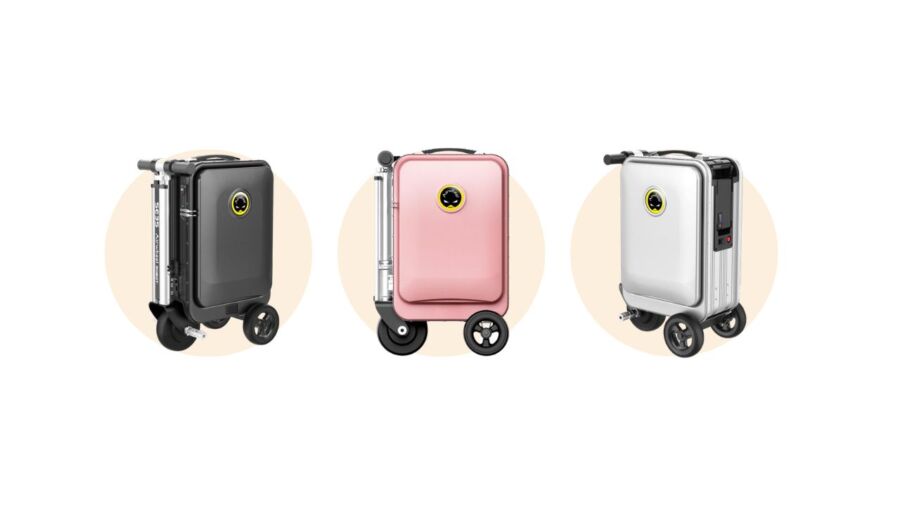
Choosing a smart suitcase isn’t as straightforward as you’d hope—and honestly, plenty of brands make battery removal way harder than it needs to be. You want something that won’t leave you sweating at airport security, right?
Here are my top picks for smart luggage that won’t let you down when it’s time to pop out the battery. Your future self sprinting to the gate will be grateful.
Airwheel SE3S Rideable Smart Suitcase

Pros
- Glides through terminals with minimal effort
- Battery pops out quickly before security checks
- Solid case keeps travel gear protected
Cons
- A bit heavy to lift into overhead bins
- May draw a lot of attention in crowded spaces
- Pricy compared to traditional luggage
Riding through airports can look a bit wild, but that’s half the fun with the Airwheel SE3S. You hop on, let the built-in motor do its thing, and breeze past the usual airport slog.
The removable battery is really what sets this one apart. These days, airline rules want lithium batteries out for carry-ons, and this suitcase makes that refreshingly simple. You just flick a switch, pop the battery out, flash it to the TSA agent, and keep moving.
It’s not just a novelty; the build quality is actually solid, with tough aluminum and a TSA lock that keeps your stuff secure if you end up checking it at the gate. Just be ready to flex a little if you need to hoist it overhead—especially after a red-eye.
And don’t be surprised if you turn some heads; subtlety isn’t exactly its strong suit. The price tag stings, but if you’re done dragging boring bags, it might just be worth the splurge.
Buying Guide

When you’re picking out a smart suitcase, battery removal is almost never the first feature people check. Honestly, it should be. I learned this the hard way after one too many awkward standoffs with airport security.
First, see if the battery is removable without tools. Some brands expect you to carry a mini screwdriver (which, who actually does?), but the good ones use a latch or a pop-out panel.
Size matters way more than you’d think:
| Feature | Why It’s Important |
|---|---|
| Battery Location | Easy to access means easy life |
| Removal Method | No tools, less hassle |
| Battery Size | Must follow airline rules |
| Extra Features | Power bank, tracking, weight |
Check the battery capacity. Most airlines top out at 100Wh.
If it’s bigger, you’re probably going to get flagged. Honestly, stick just under the limit to avoid headaches.
I love a good gadget as much as anyone, but don’t get distracted by built-in scales or GPS trackers if it means battery access gets complicated. More features can mean more stuff to break. If you can’t open the suitcase quickly, it’s just not worth it.
I always double-check these before buying:
- Are the battery removal instructions clear?
- Can you use the charger with your phone?
- Will airline staff recognize the battery brand?
If you travel a lot, keep it simple. A complicated battery setup can ruin your trip faster than you’d think.
See Related: Pack Like a Pro: Flight Crew’s Top Travel Essentials (Plus Exclusive Discounts!)
Frequently Asked Questions
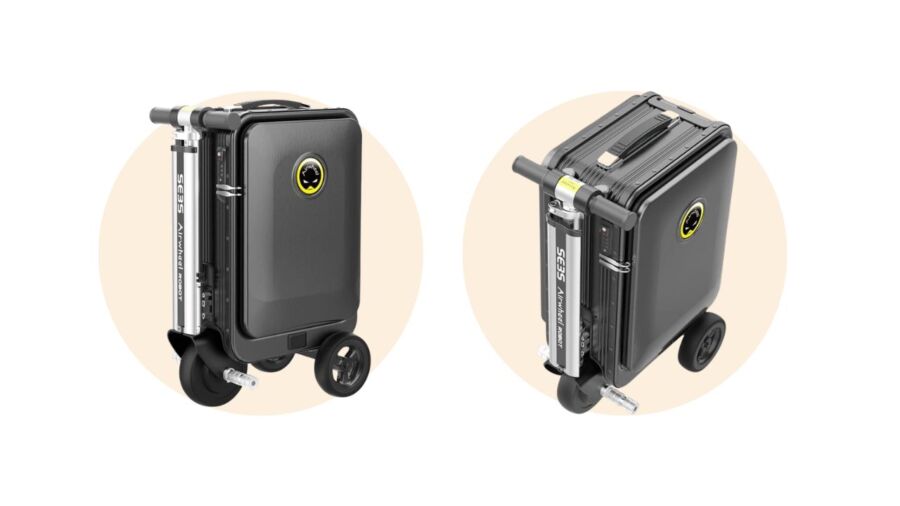
Flying with smart luggage always brings up battery questions—especially when you hit security lines or last-minute packing panic. It’s honestly not that complicated once you know what to look for with battery removal, airline rules, and what TSA actually cares about.
How can I safely disassemble and remove a battery from my smart luggage?
Flip over your suitcase and look for a zipper or hatch with a battery symbol. Most models make this area obvious—sometimes there’s even a little diagram.u003cbru003eOpen the compartment gently (don’t force it, unless your manual says so). Disconnect the battery by pulling the tab or sliding the connector out, always gripping the plastic, not the wires.
What are the approved methods for extracting power banks from smart suitcases?
Follow the manufacturer’s method first. Seriously, don’t just yank things out. If you’re unsure, check inside the suitcase or under flaps for a quick guide—sometimes they hide instructions in the weirdest spots.u003cbru003eSome power banks use locking clips, others slide out like old-school batteries. If the battery’s soldered in, odds are it’s not airline-approved anyway.
Are there any airlines that allow smart bags with non-removable batteries on board?
Honestly, I haven’t found one yet. Airlines everywhere are strict about this, even the budget carriers. If you can’t remove the battery, you usually can’t check the bag—or sometimes even bring it onboard.u003cbru003eI once flew through Hong Kong and had to check my u003ca href=u0022https://www.realjourneytravels.com/best-carry-on-backpacks-for-international-travel/u0022u003ecarry-onu003c/au003e at the gate. They wouldn’t take it unless I handed over the battery separately.
What step-by-step guide should I follow to ensure the correct removal of my smart suitcase’s battery before flying?
First, empty your suitcase so you can move it without stuff falling out. Then, find the battery pouch or access panel—it’s usually hard to miss if you’re looking.u003cbru003eUnlock or unzip the battery cover. Gently pull the battery out (check the manual if it’s stubborn). Put the battery in a clear plastic bag for screening, and keep it in your carry-on, not your checked luggage.
Can smart luggage with integrated USB chargers be carried in checked baggage?
Only if you can remove the battery and carry it with you in the cabin. TSA and basically every airline will turn your suitcase away from checked baggage if the battery’s stuck inside.u003cbru003eI know, it sounds harsh, but this rule gets enforced. You really don’t want your bag stranded at the wrong end of your trip.
What are the TSA guidelines for traveling with smart suitcases that have built-in batteries?
TSA wants you to remove the battery and bring it into the cabin with you. If the battery stays in a checked suitcase, you’ll probably run into trouble at the counter or, worse, at security.u003cbru003eHonestly, I always check the TSA website before I fly because these rules can change, sometimes with barely any notice. Airlines love to toss in their own quirks, so don’t assume one carrier’s policy matches another’s.u003cbru003eI’ve even had TSA agents ask me to show them the battery right there at the checkpoint. It’s a good idea to keep it somewhere you can grab it quickly—not buried under your socks. Why risk a delay or, even worse, losing your suitcase for something as small as a battery?


